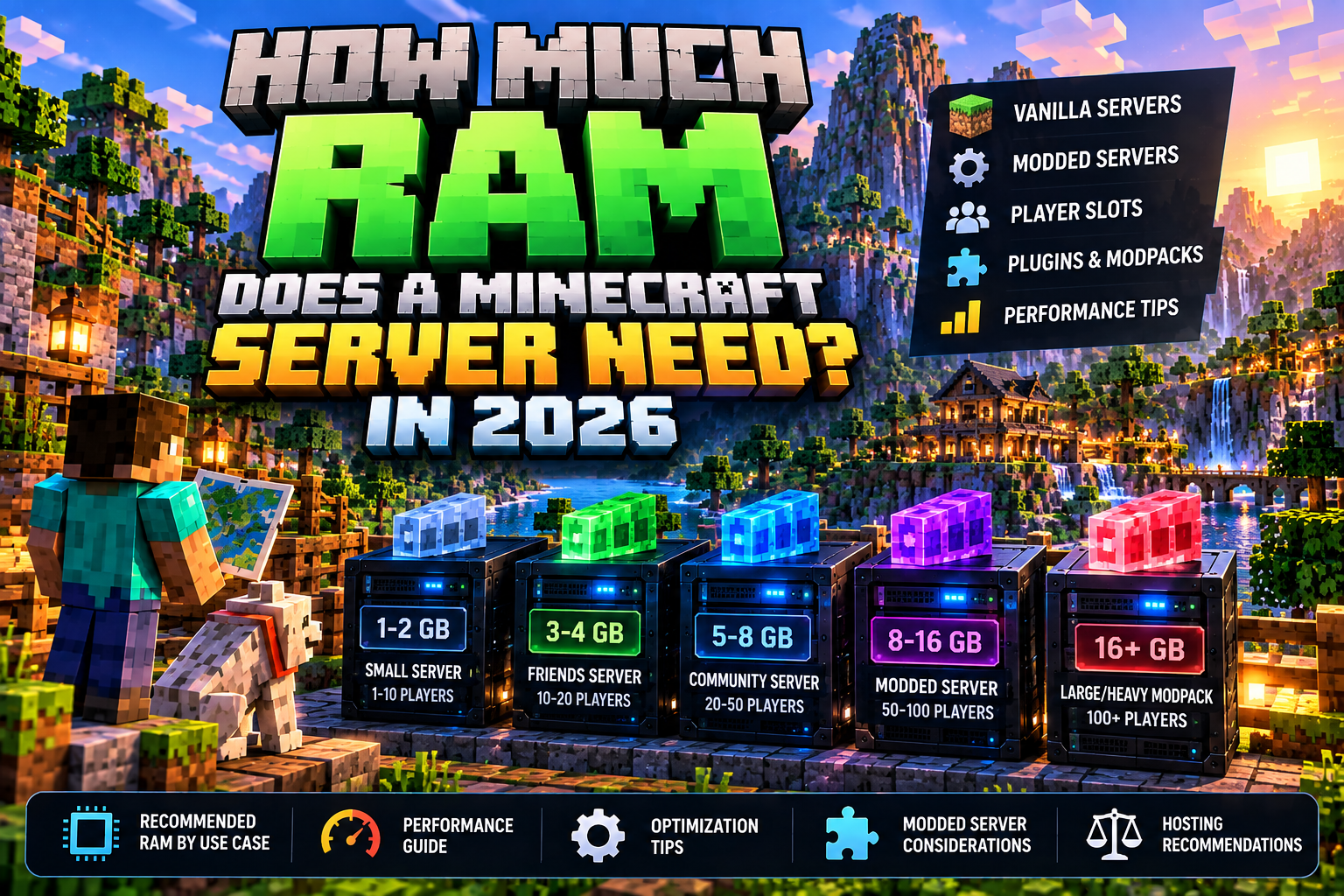
There is no single RAM number that fits every Minecraft server. The right amount depends on your edition, server software, concurrent players, view distance, world activity, plugins, mods, and modpack. The goal is enough memory for stable operation with reasonable headroom—not simply buying the largest plan available.
Quick answer: start with the requirements of your exact server software or modpack, estimate realistic concurrent players, leave some headroom, and monitor actual memory and CPU usage after launch. If performance is poor, diagnose the bottleneck before assuming RAM is always the answer.
Why Minecraft Server RAM Requirements Vary
- Concurrent players: active players create additional world, entity, inventory, and network activity.
- View and simulation distance: larger active areas can increase workload.
- World generation: exploring new terrain can be more demanding than staying in already-generated areas.
- Plugins: plugin quantity matters less than what each plugin actually does.
- Mods and modpacks: large modded setups can add substantial memory and CPU demand.
- Server software: Vanilla, Paper, Fabric, Forge, NeoForge, Bedrock, and other setups behave differently.
- Other processes: a self-hosted machine also needs memory for the operating system and anything else running on it.
Small Vanilla Servers
A private vanilla server for a few friends is usually the simplest workload. Start from the official server requirements and the recommendations of your server software, keep settings reasonable, and measure performance while the number of simultaneous players you actually expect are online.
Do not size a private server for hundreds of hypothetical players if the normal group is only a handful of friends.
Plugin-Based Community Servers
Plugins can range from tiny administrative utilities to systems that perform frequent database, economy, map, NPC, logging, or world operations. A server with many lightweight plugins can behave differently from one with a few resource-heavy plugins.
For a growing community, leave an upgrade path instead of overbuying at launch. Track peak concurrent players and resource use during busy periods.
Modded Minecraft Servers
Modded Java servers deserve separate planning. Use the modpack author’s server recommendations as your starting point because the pack’s content, loader, world generation, automation systems, dimensions, and other mechanics can radically change resource demand.
For Forge, NeoForge, Fabric, and modpack-specific hosting decisions, see Best Minecraft Hosting for Mods in 2026.
RAM Is Not the Same as Server Performance
Adding RAM helps when memory is actually the limiting resource. It does not automatically solve a slow CPU, inefficient plugin or mod, excessive world generation, storage bottleneck, network latency, or poor server configuration.
More RAM is useful when you need more RAM. It is not a universal performance upgrade.
How to Estimate What You Need
- Choose Java or Bedrock.
- Choose your exact server software.
- List the plugins, mods, or modpack you intend to run.
- Read their current server-side recommendations.
- Estimate realistic peak concurrent players.
- Decide on reasonable view and simulation settings.
- Allow memory for the operating environment if self-hosting.
- Choose a configuration with sensible headroom.
- Load-test with actual players or representative activity.
- Monitor memory and CPU use before upgrading.
What Happens If You Have Too Little RAM?
When a server is genuinely memory constrained, you may see instability, severe pauses, failed starts, out-of-memory errors, or problems as the workload grows. Similar symptoms can have other causes, so check logs and resource monitoring rather than diagnosing by guesswork.
Can You Give a Minecraft Server Too Much RAM?
Allocating far more memory than the workload needs is usually unnecessary and can waste money on managed hosting. Java memory management also has tuning considerations, so “as much RAM as possible” is not a useful sizing strategy. Give the workload enough capacity and headroom, then optimize from measurements.
RAM vs. CPU: Which Matters More?
Both matter, but they solve different constraints. RAM provides working memory for the server and its loaded data. CPU performance determines how quickly much of the game simulation and server workload can be processed. A plan with lots of memory but insufficient processing performance can still struggle.
Choosing a Managed Hosting Plan
When comparing Minecraft hosting, do not look only at the RAM number. Check the server software supported, CPU/resource model, storage, backups, server locations, file access, management tools, and how easy it is to upgrade if your measurements show you need more capacity.
Use the Minecraft hosting comparison and buying guide for the complete checklist. If you are considering Shockbyte specifically, see the Shockbyte Review 2026.

Need Minecraft Server Hosting?
Shockbyte offers managed Minecraft server hosting for players who want to get a server online without maintaining the underlying hardware themselves. Compare the plan resources and current terms with the needs of your server before purchasing.
Affiliate disclosure: GameGood may earn a commission if you purchase through this link, at no additional cost to you.
RAM Planning Checklist
- Exact Minecraft edition and version
- Server software / mod loader
- Expected peak concurrent players
- Plugin list
- Mod or modpack requirements
- View and simulation settings
- Expected world-generation activity
- Other software sharing the machine
- Current RAM usage under load
- Current CPU usage under load
- Clear upgrade path
Bottom Line
The right amount of Minecraft server RAM is the amount your specific workload needs with reasonable headroom. Size from your actual software, mods, plugins, settings, and player activity; then validate the decision with monitoring. If you are buying hosting, choose a plan that lets you start sensibly and upgrade when real usage—not guesswork—shows you need it.
Next: compare Minecraft server hosting, or go directly to the modded Minecraft hosting guide if you are running Forge, NeoForge, Fabric, or a modpack.
Affiliate disclosure: GameGood may earn a commission from qualifying purchases made through affiliate links on this page, at no additional cost to you.